

Tesla Model Y side repeater camera fault: when the cable, not the camera, is to blame
A Model Y came in with Autopilot disabled by a side repeater camera fault. The camera was not the problem. Here is how we traced it to a corroded feed cable and got Autopilot working again.
personBy Gabor, MegaEV calendar_today 2 min read
A Model Y came to us with Autopilot disabled. The car was reporting a side repeater camera fault. It would be easy to assume the camera itself had failed, but as this job shows, the symptom and the cause are not always in the same place.
What the side repeater cameras do
On a Model Y, the side repeater cameras sit in the indicator housings on each front wing, looking backwards along the sides of the car. They feed the Autopilot computer with a view of the lanes beside and behind you. When they cannot provide a stable picture, the car switches off the driver assistance features that rely on them, which is exactly what had happened here.
The symptom: dropped camera frames
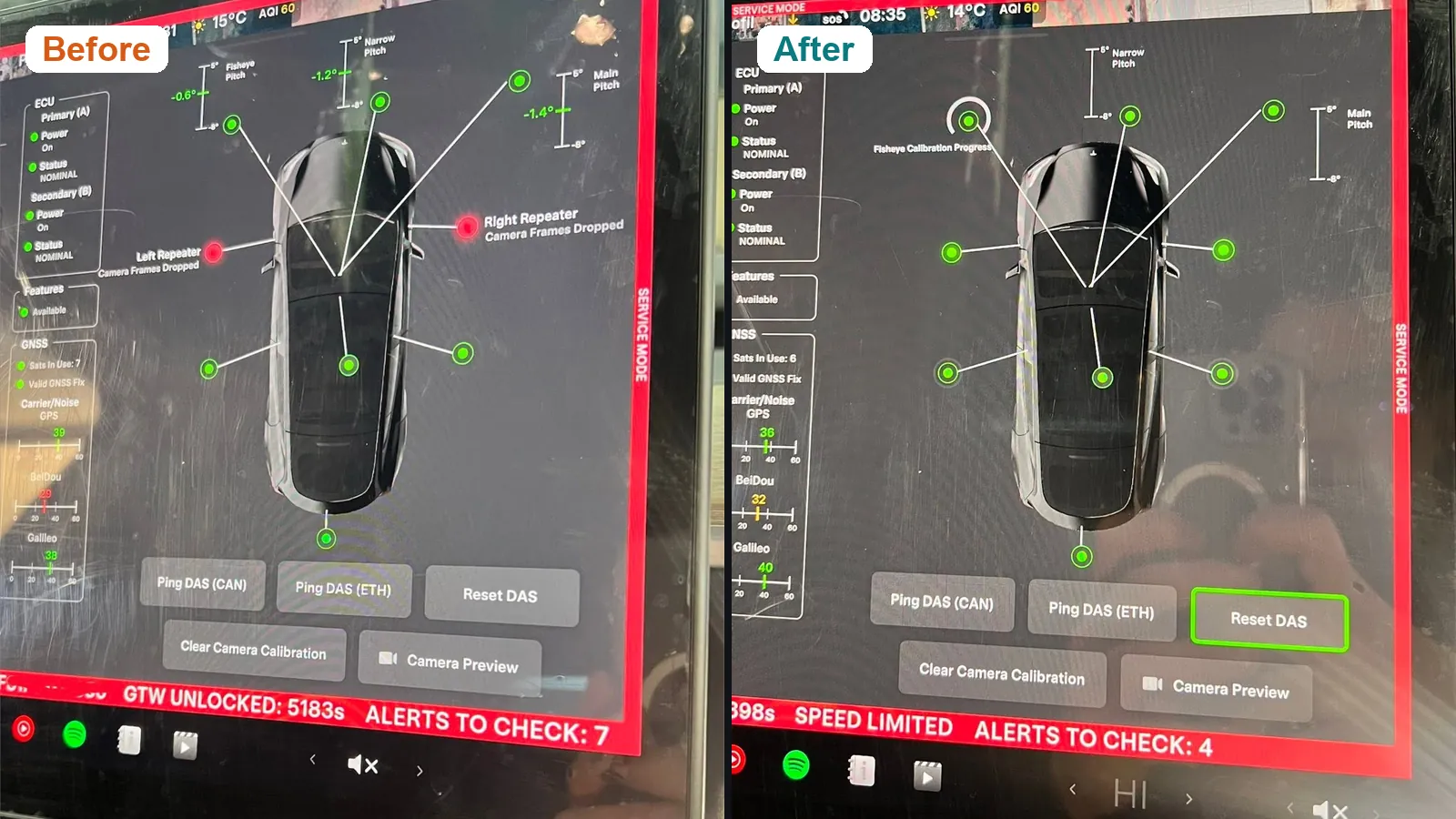
In service mode, the car showed repeated camera frame dropouts: the side repeater cameras were reporting dropped frames instead of a steady video feed. You can see them marked in red in the ‘before’ screen at the top of this page.
A recalibration would not help with a fault like this. Calibration adjusts how the car interprets a camera's picture. It cannot fix a picture that keeps cutting out.
The cause: a corroded feed cable
Further investigation showed corrosion in the camera feed cable. The damaged cable was producing an unstable video signal, so the camera itself was not the problem. Replacing it would have cost the owner money and left the fault in place.
The repair
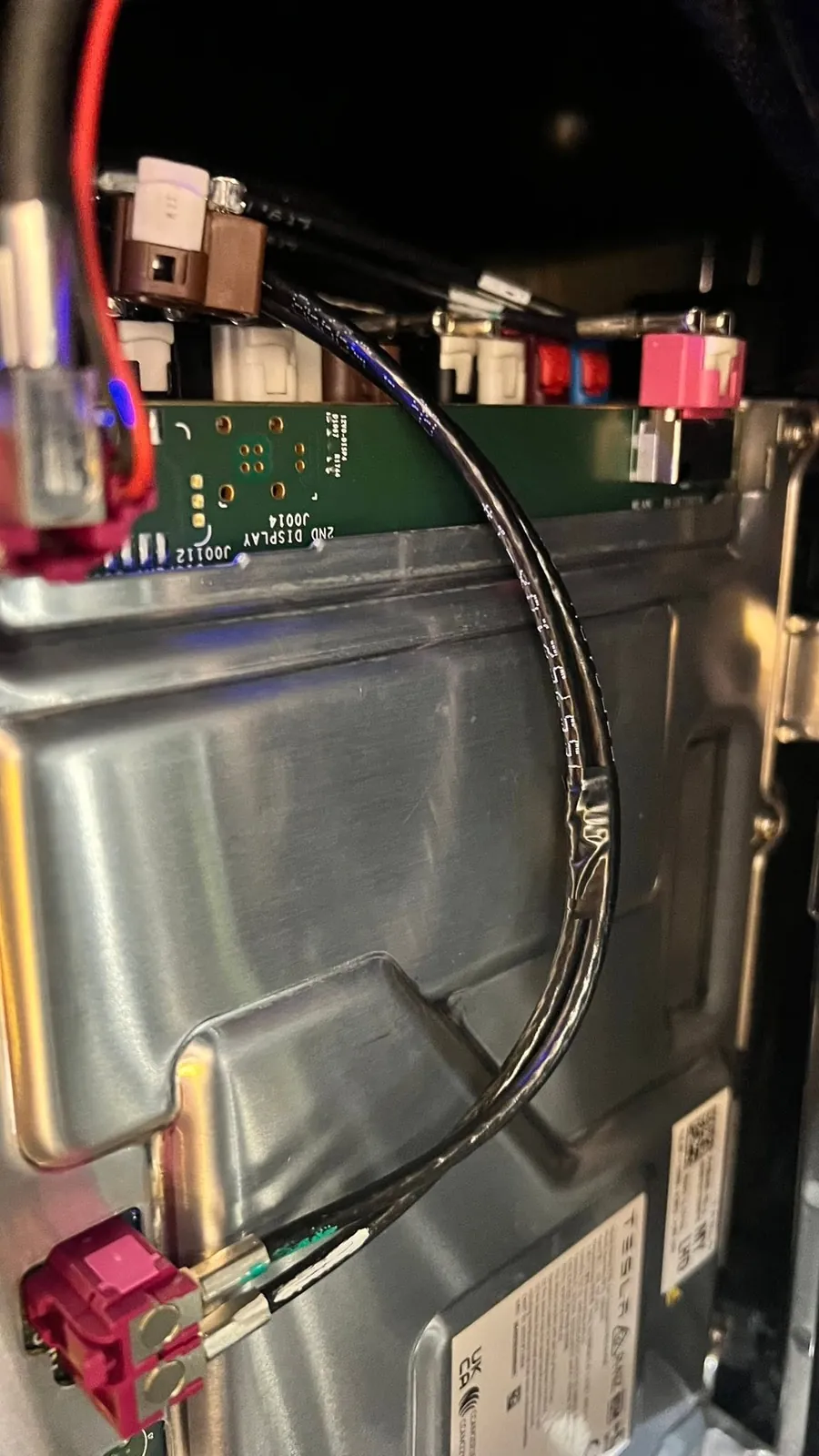
Once the cause was clear, the fix was methodical:
- traced the fault to the damaged camera feed
- wired in a new camera feed cable
- integrated the new camera harness into the Autopilot computer
- reset and reinitialised the driver assistance system using Tesla Toolbox
The result: Autopilot fully restored and working correctly, with every camera reporting normally in service mode.
Why diagnosis matters
This is a good example of why we diagnose before we replace. The symptom pointed at the camera, but the root cause was the wiring. Finding that first meant the owner paid for the repair the car actually needed, and nothing more.
If your Tesla is showing a camera, Autopilot or other driver assistance warning, send us a message with the model, the year and what you are seeing on the screen. A photo of the warning helps.